Help
Teams
A team is a group of people whose miles add up together: a running club, the office or the family. You can be in up to five teams.
Start a team
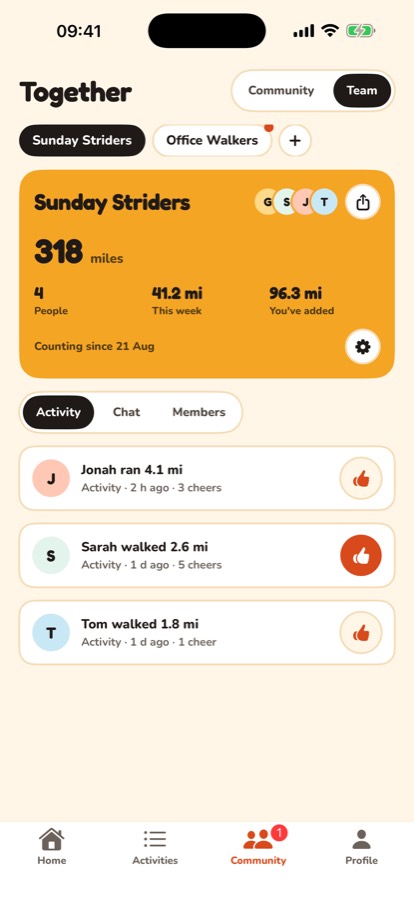
On the Community tab, tap Team, then Create a team, and give it a name. Already in a team? Tap + next to your teams at the top.
Invite someone
Tap Invite someone, add a note to say who it's for if you like, and send it. Each invite is for one person and works once. Invites last 30 days.
Join a team
Open the invite link, or on the Team page tap I have a code (or +, then I have a code) and type it in. If the team approves new members, you'll be in once an admin says yes.
Rename a team
If you're an admin, tap the gear on the team card, then Rename team.
Leave a team
Tap the gear on the team card, then Leave team. Your miles stay in the team's history, and you can come back if someone invites you again.
If you're the team's admin, hand over first so you choose who takes over: in Members, tap the three dots next to someone and choose Make admin. If you leave without doing that, the person who's been in the team longest becomes admin. If you're the only one left, leaving deletes the team.
Still stuck? Get in touch and tell us what you were doing. Screenshots help.