Help
Record on your iPhone
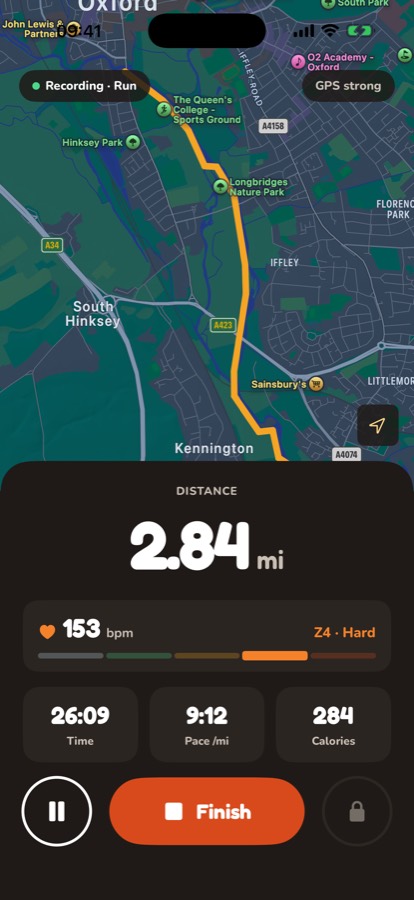
- On Home, tap Start an activity.
- Choose Walk or Run.
- Wait for the GPS signal to show as strong, then tap Start.
- Tap Pause if you stop for a while. The timer and distance stop until you tap Resume.
- When you're done, tap Finish, then Save activity.
Your distance is added to the community total as soon as it's saved. If you have no signal, it's saved on your phone and added when you're back online.
You can lock your phone and put it in your pocket. It keeps recording. Voice prompts read out your distance and pace; change how often in Settings › Voice prompts.
Still stuck? Get in touch and tell us what you were doing. Screenshots help.