Help
Manage your team
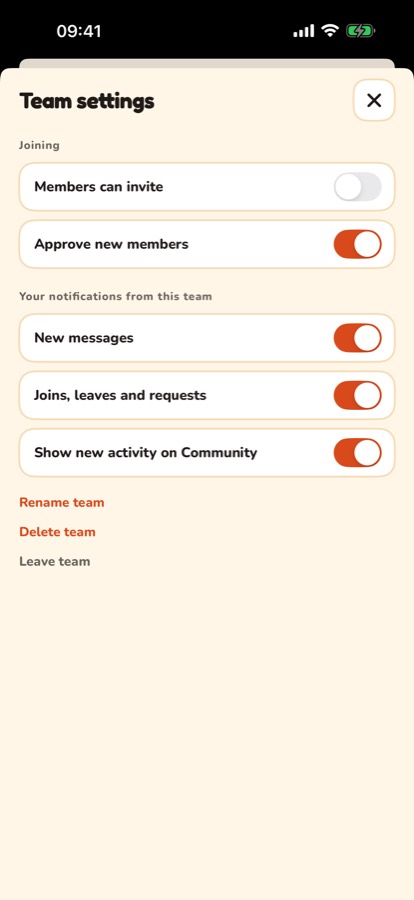
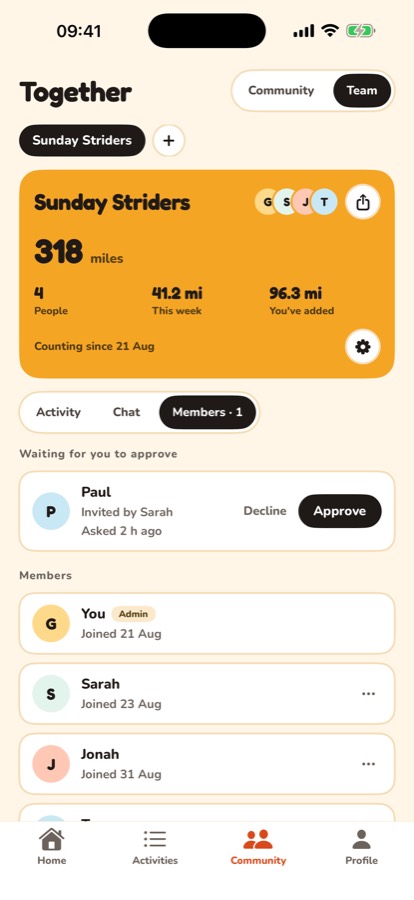
The gear on the team card opens the team's settings. Everyone has it, for their own notifications. If you're an admin, you also get:
- Members can invite: lets everyone in the team send invites, not only admins.
- Approve new members: when this is on, someone using an invite asks to join first.
- Rename team, and Delete team, which removes everyone and the chat for good.
Approve or decline someone
Requests appear at the top of Members, with who invited them. Tap Approve or Decline.
Admins and removing someone
Tap the three dots next to someone in Members to make them the admin or remove them from the team. Making someone else the admin hands the team over to them, and you become a regular member.
Still stuck? Get in touch and tell us what you were doing. Screenshots help.