Help
Charts, splits and zones
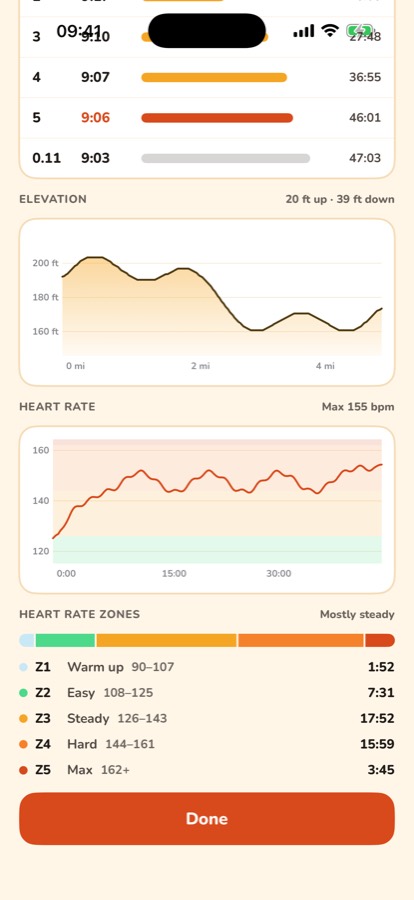
Open any walk or run from Activities to see:
- Splits: your pace for each mile (or kilometre).
- Elevation: how much you climbed and descended.
- Heart rate: a chart through the activity, when you wore an Apple Watch.
- Heart rate zones: how long you spent in each zone.
Your zones are worked out on your phone from your age and resting heart rate in Apple Health. To set them yourself, go to Settings › Heart rate zones.
Walks and runs from before version 1.4 don't have the elevation and heart rate charts.
Still stuck? Get in touch and tell us what you were doing. Screenshots help.